Invite users
To work as a team, add your coworkers to your organization and give each of them access to the applications they need.
The coworker must already have a Minlessika account
You add a user through the e-mail address of their Minlessika account. Minlessika does not send invitation e-mails: first ask your coworker to create their account, then add them with that address. An address without an account is rejected ("Cette adresse mail n'est pas associée à un compte Minlessika !" — This e-mail address is not associated with a Minlessika account!).
The interface is in French
The Minlessika interface and the screenshots below are in French. Each button or field name is shown here as it appears on screen, with its English translation in parentheses.
Prerequisites
- A company organization that you own
- An active subscription on this organization (the free trial qualifies) — adding coworkers is not possible on the Free plan
- The Minlessika account of each coworker to add
Members and owners
There are two ways to add someone to an organization:
- Member: a coworker you give access to specific applications, with a role (profile) per application. This is the usual case for your team.
- Owner: a co-owner, who shares full control of the organization.
This tutorial covers adding a member.
1. Open the member list
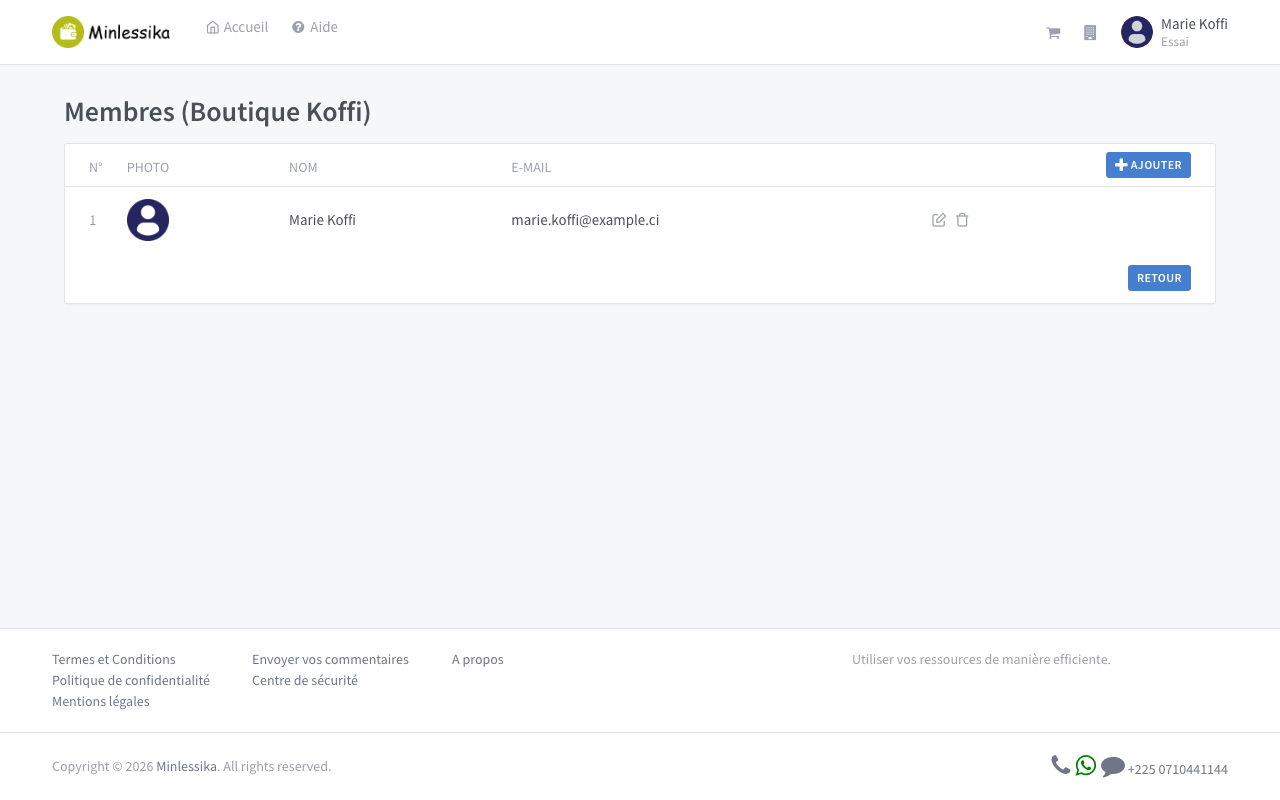
From your organization's dashboard, click its name (at the top) to open the menu, then choose Mes membres (My members). The member list appears.
2. Add a member
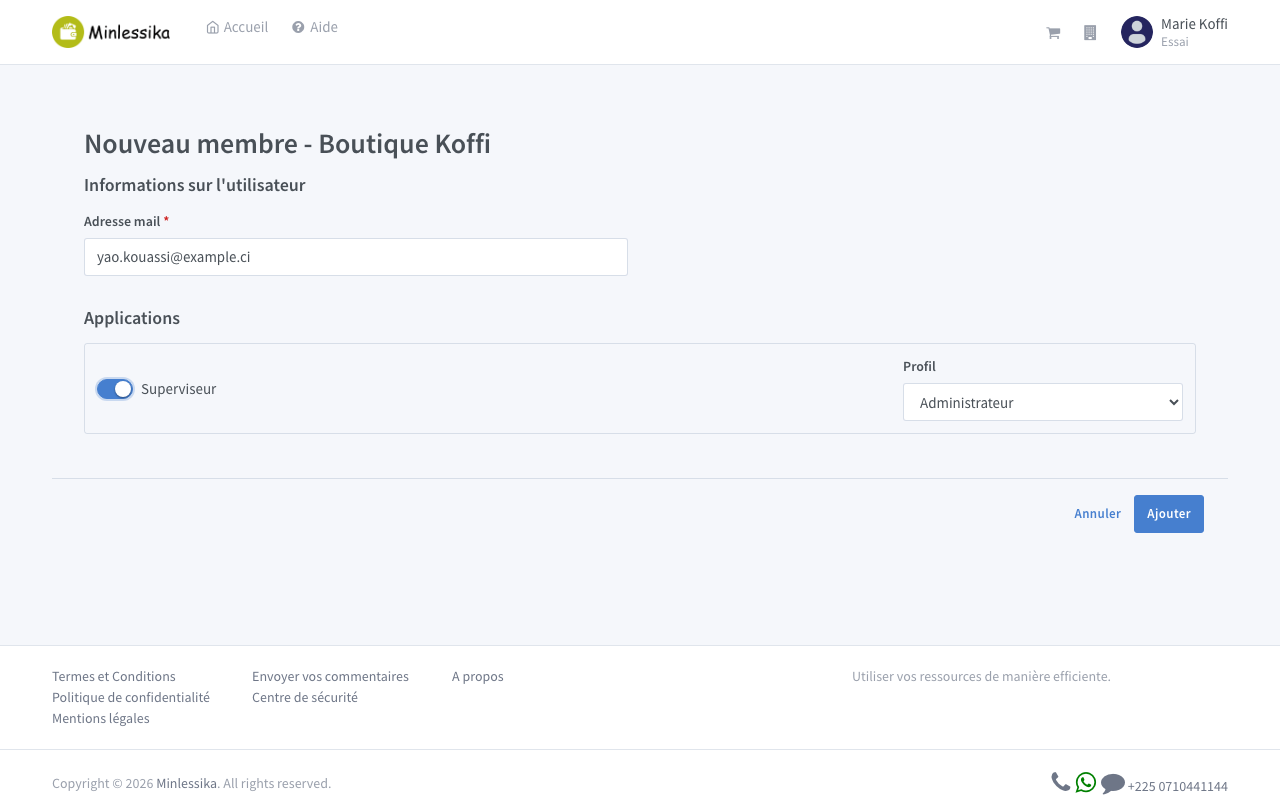
Click Ajouter (Add). In the form:
- Adresse mail (E-mail address): the address of your coworker's Minlessika account.
- Applications: enable each application they need access to and choose their Profil (their role) for that application.
You must enable at least one application, otherwise the addition is rejected.
3. Confirm
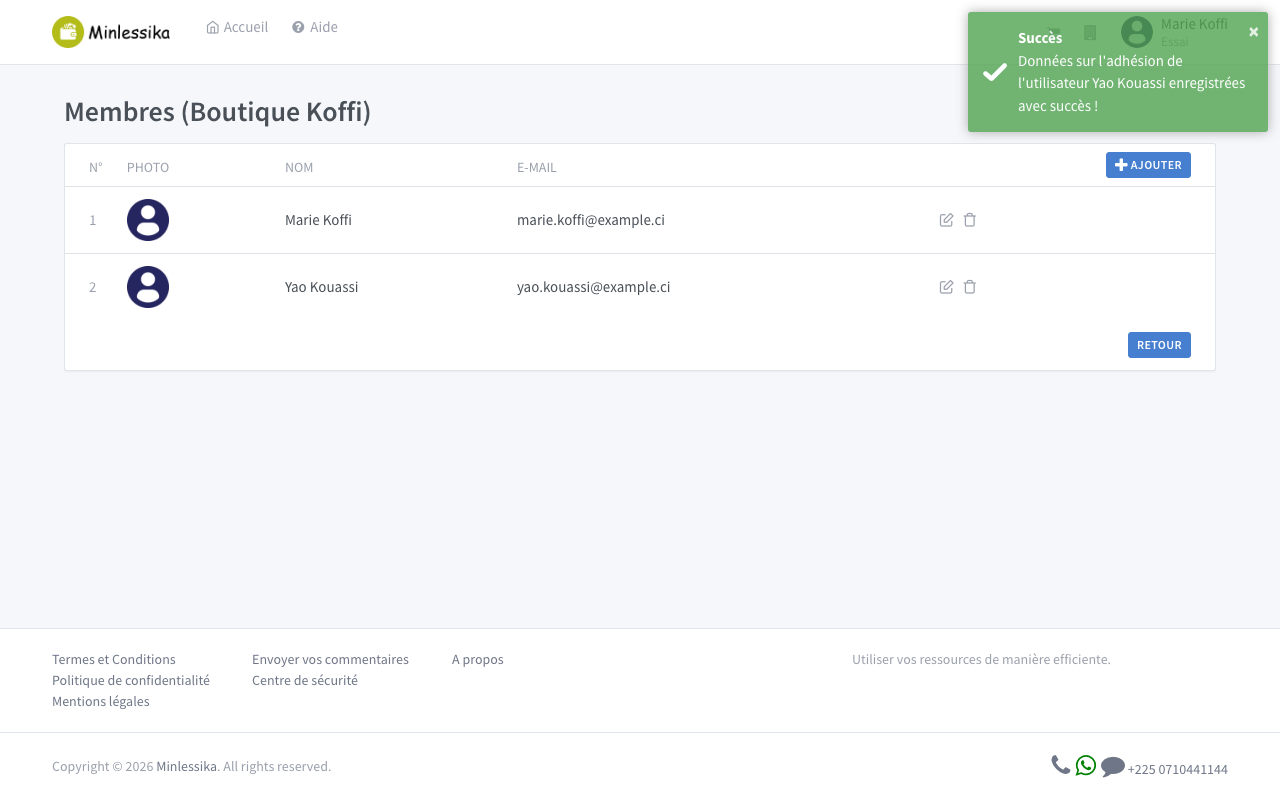
Click Ajouter (Add). The message "L'utilisateur … est à présent membre de votre organisation !" (The user … is now a member of your organization!) confirms the addition, and the coworker appears in the list. They immediately get access to the applications you opened for them.
Add a co-owner
To give someone full control of the organization, use Mes propriétaires (My owners) — in the same menu — instead of Mes membres: just enter the e-mail address of their account there.
What next?
Your coworkers are on board. To give your organization the features it needs, continue with Activate modules.
Changelog
- 1.1 (July 11, 2026): tutorial written with screenshots.
- 1.0 (July 9, 2026): document created.