Create your account
This tutorial walks you through creating your Minlessika account. By the end, you will be signed in to the platform, with a personal workspace already set up.
The interface is in French
The Minlessika interface and the screenshots below are in French. Each button or field name is shown here as it appears on screen, with its English translation in parentheses.
Prerequisites
- A valid e-mail address you can access, to receive the confirmation link
1. Open the registration form
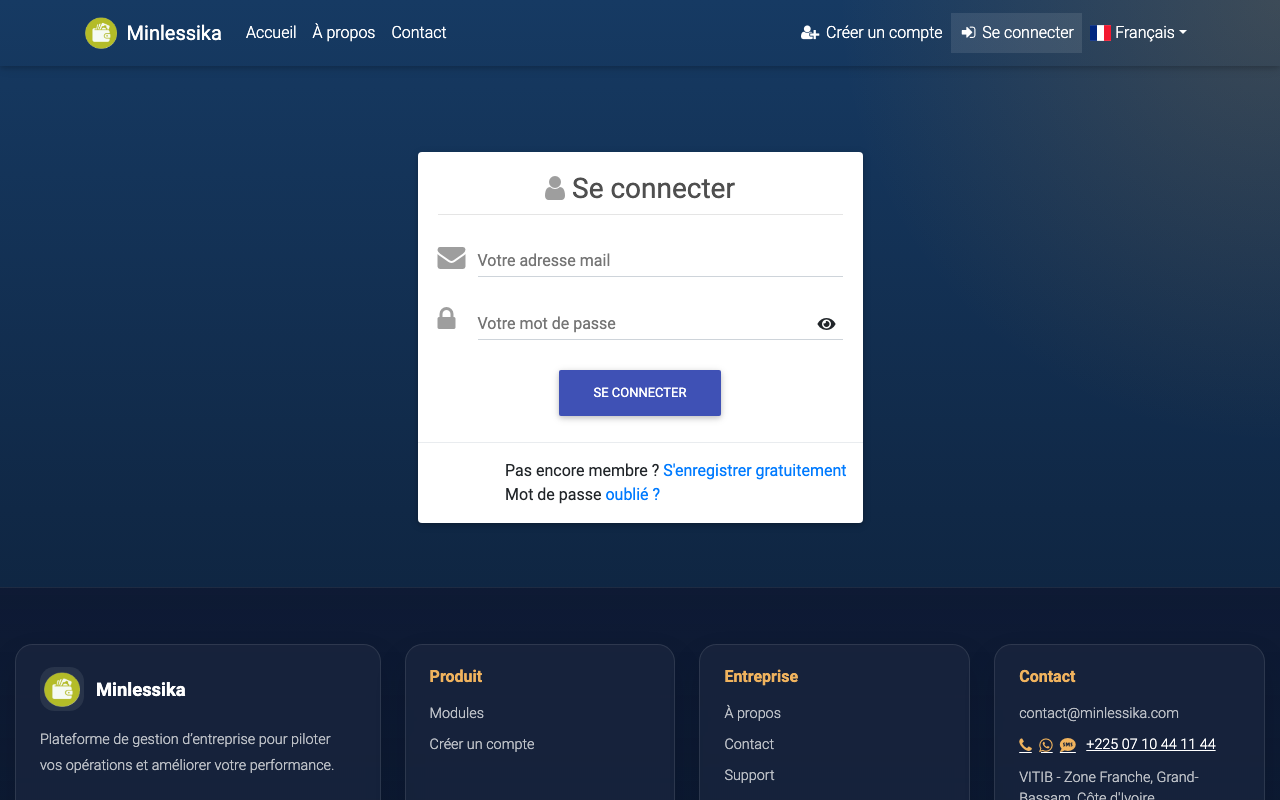
From the Minlessika sign-in page, click S'enregistrer gratuitement (Register for free). The registration form appears, under the title "Inscrivez-vous gratuitement !" (Sign up for free!).
2. Fill in your information
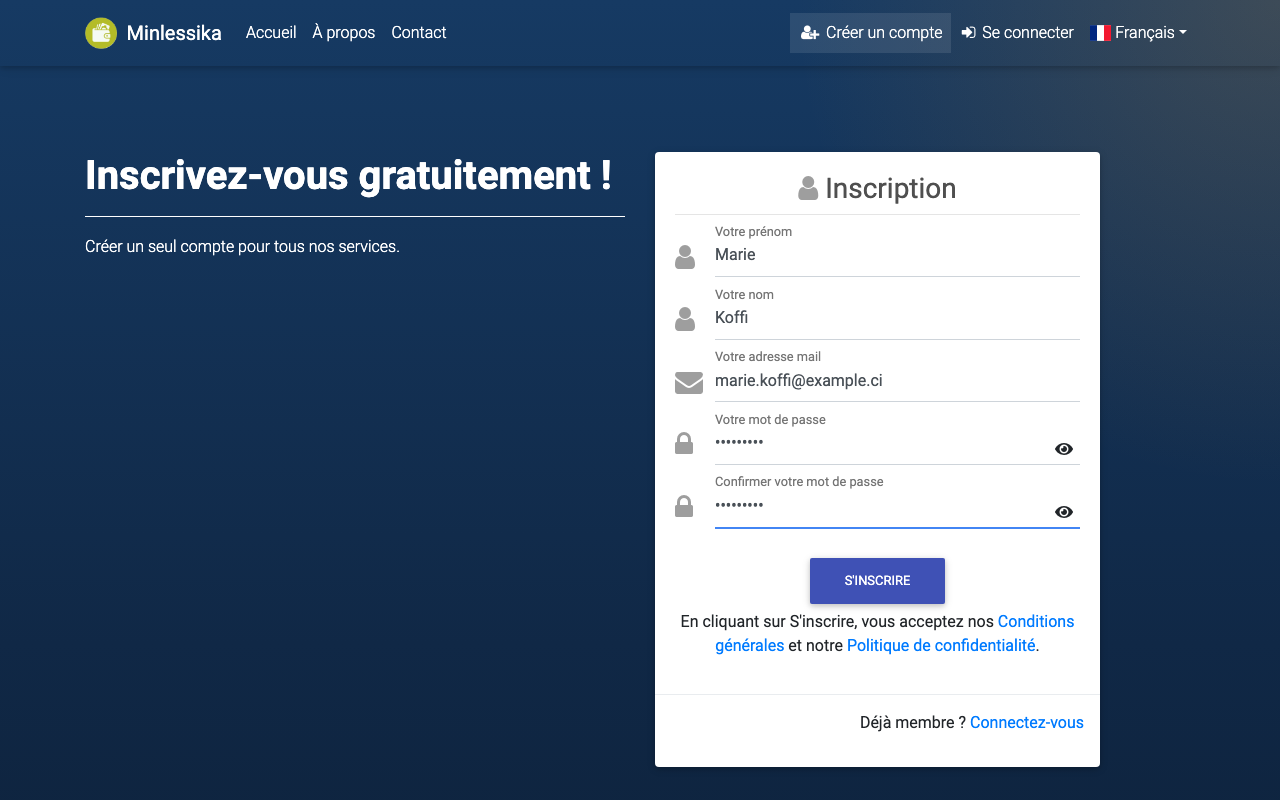
Complete the five fields of the form:
| Field | Description |
|---|---|
| Votre prénom | Your first name |
| Votre nom | Your last name |
| Votre adresse mail | The e-mail address that will identify your account |
| Votre mot de passe | The password that will protect your account |
| Confirmer votre mot de passe | The same password, typed again identically |
The eye icon, to the right of the password fields, shows or hides what you type.
3. Submit the registration
By clicking S'inscrire (Sign up), you accept the Minlessika General terms of service and Privacy policy (both in French).
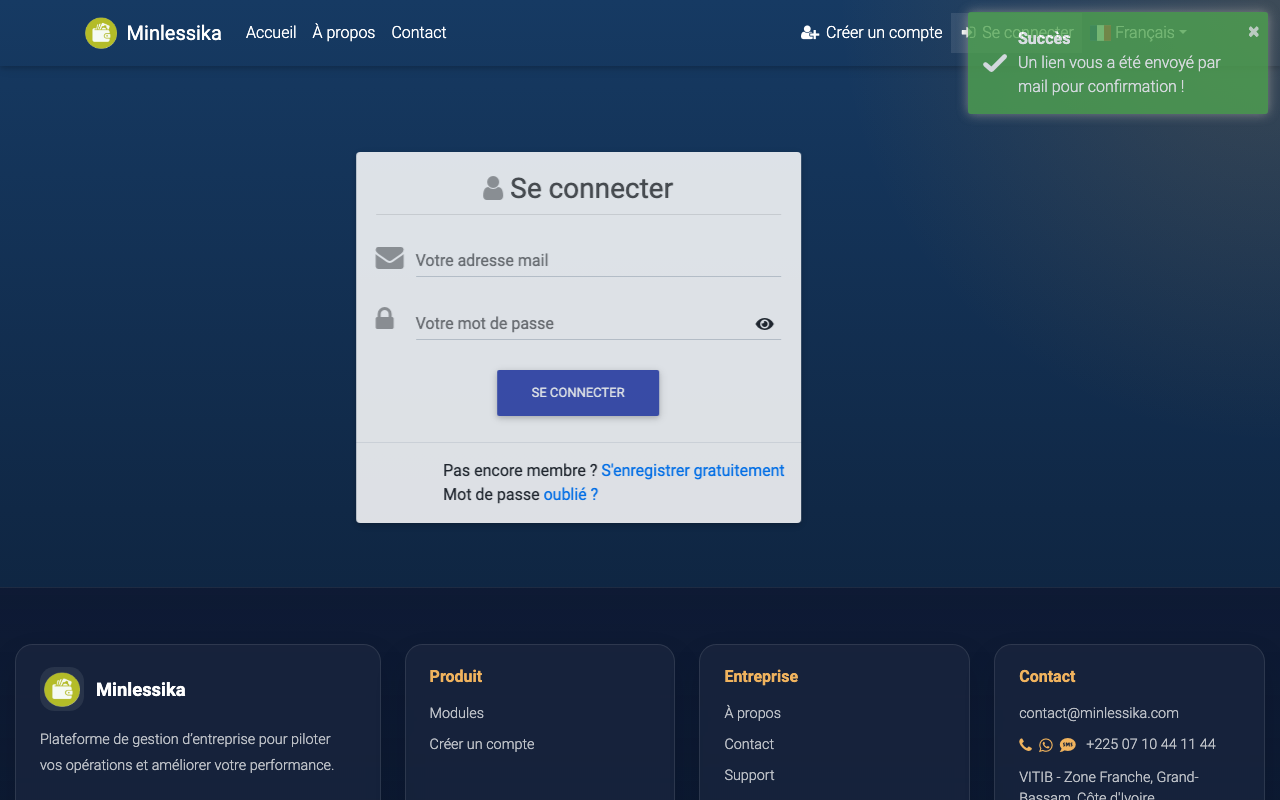
A message then confirms that a confirmation link has been sent to you by e-mail ("Un lien vous a été envoyé par mail pour confirmation !").
If an error message appears
- "Le mot de passe n'est pas confirmé !" (The password is not confirmed!): the two passwords you typed do not match.
- "L'adresse mail figure déjà dans nos bases !" (This e-mail address is already in our records!): an account already exists with this address. Use the sign-in page instead, or the "Mot de passe oublié ?" (Forgot password?) option.
4. Confirm your account by e-mail
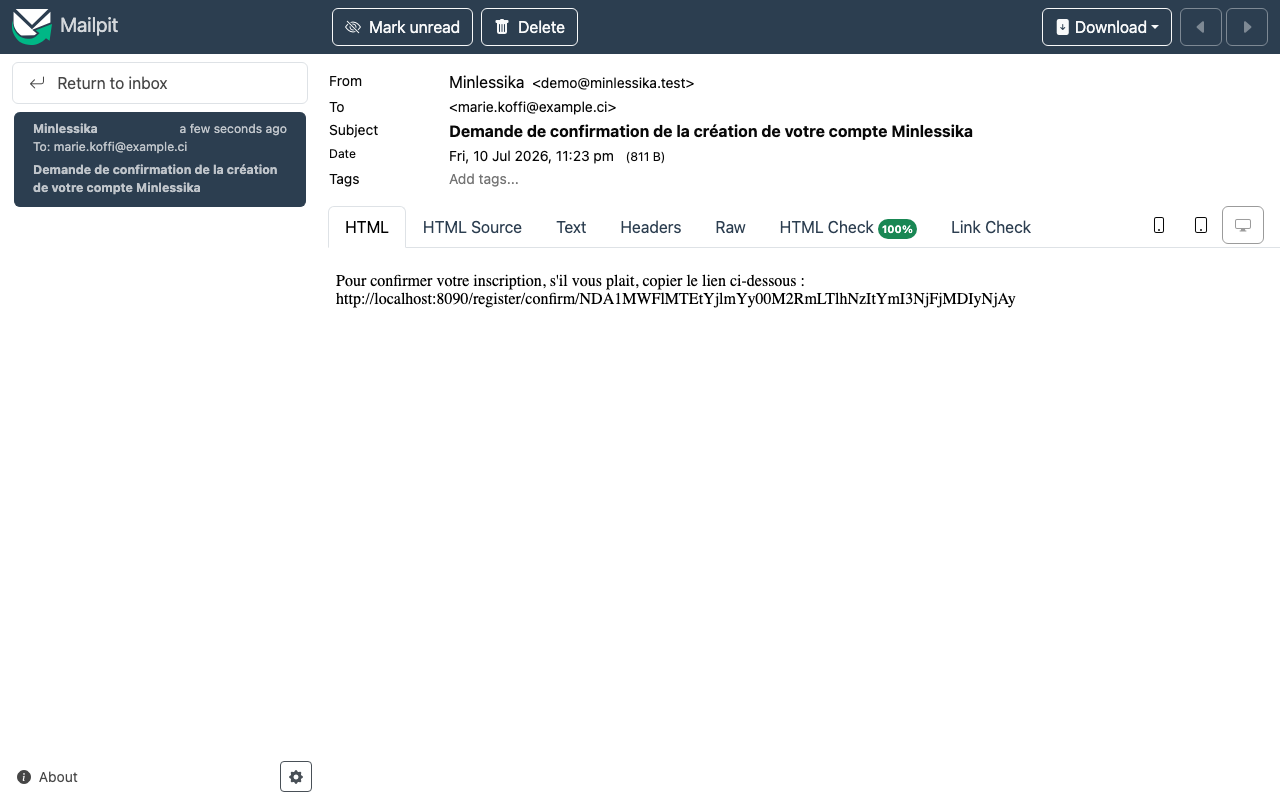
Open the inbox of the address you provided. You will find the e-mail "Demande de confirmation de la création de votre compte Minlessika" (Confirmation request for your Minlessika account). Open the link it contains to activate your account.
The link stays valid for 3 days. After that, you have to register again.
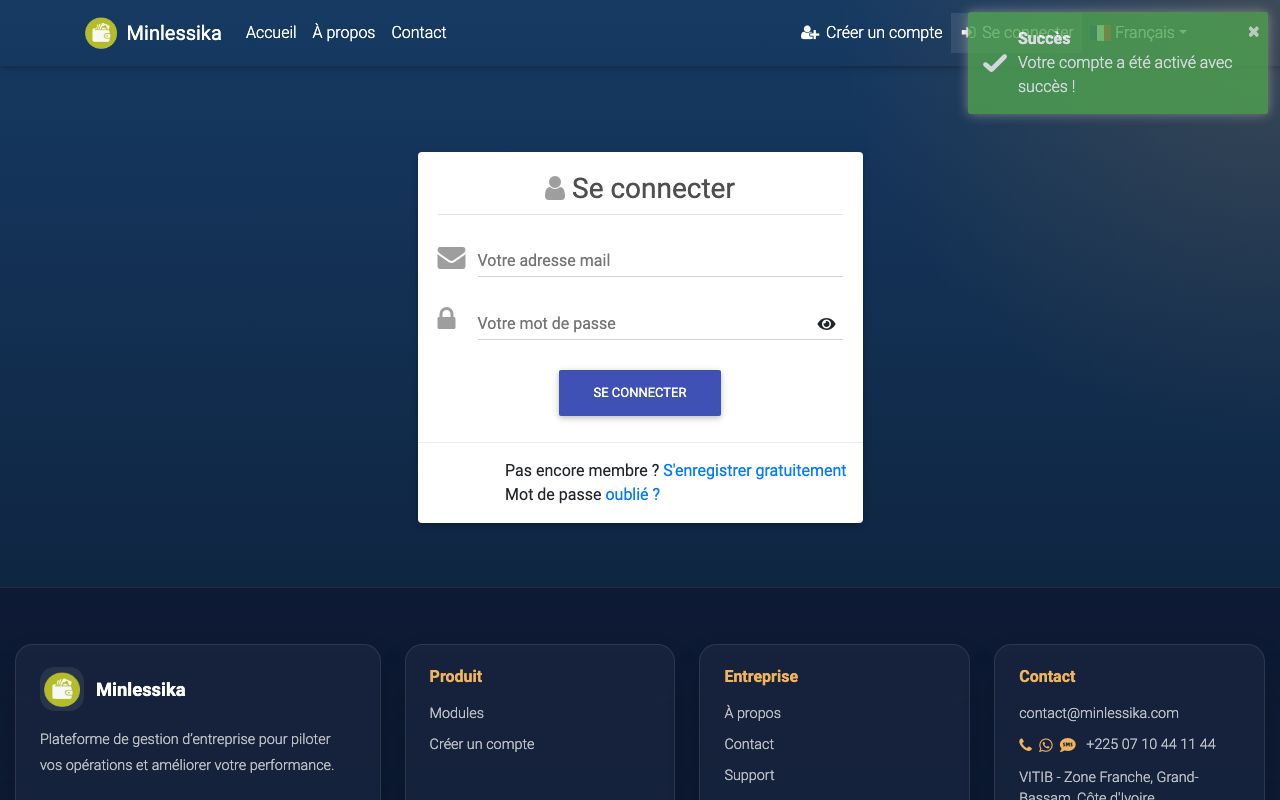
Once the link is opened, your account is activated: the message "Votre compte a été activé avec succès !" (Your account has been activated successfully!) appears, and a second e-mail confirms the activation.
5. Sign in for the first time
On the sign-in page, enter your e-mail address and your password, then click Se connecter (Sign in).
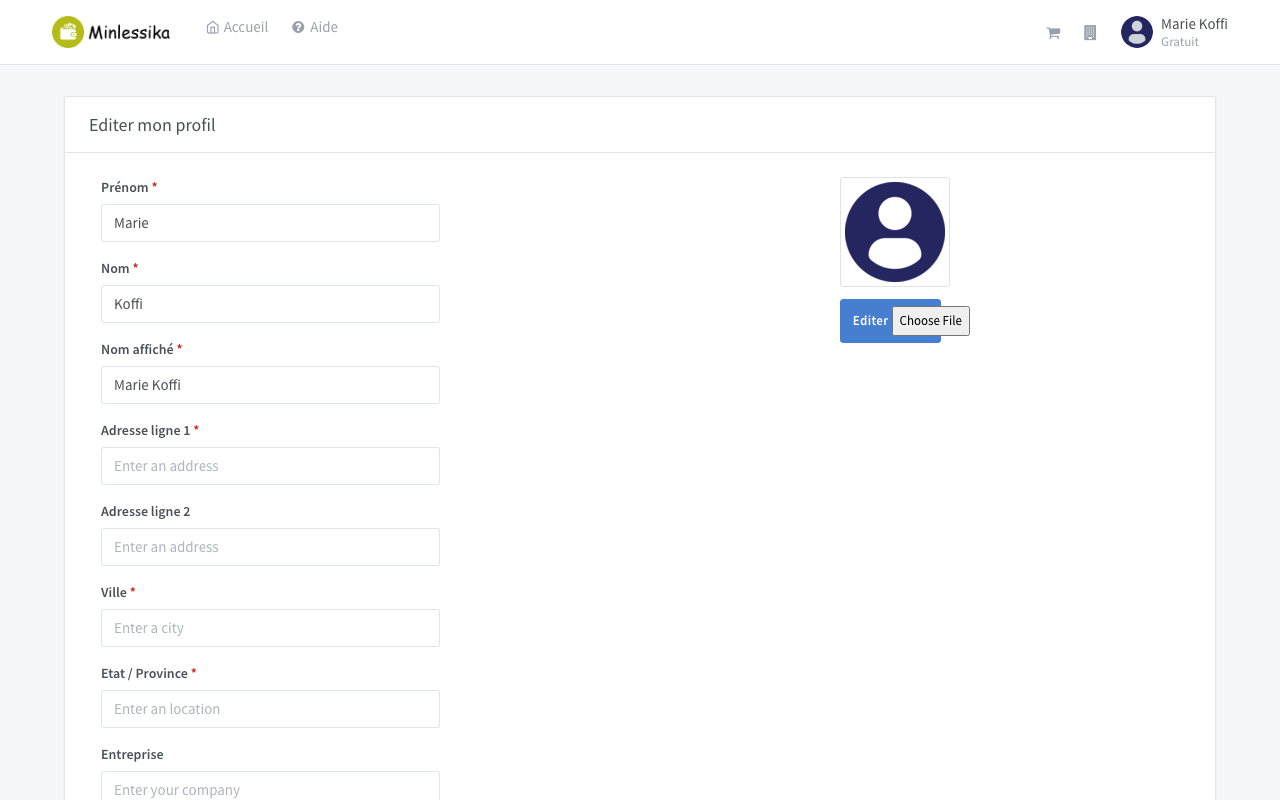
On your first sign-in, Minlessika asks you to complete your profile before continuing. Fill in the requested information: it is used for your billing, among other things.
What next?
Your account already has a personal workspace. To create your company's organization and invite your coworkers, continue with Create your organization.
Changelog
- 1.2 (July 10, 2026): screenshots added.
- 1.1 (July 10, 2026): tutorial written.
- 1.0 (July 9, 2026): document created.