Replay a failed submission
An invoice could not be certified — FNE platform outage, network failure: replay its submission without going through a new import.
The interface is in French
The Minlessika interface and the screenshots below are in French. Each tab or button name is shown here as it appears on screen, with its English translation in parentheses.
Prerequisites
- A document with the Echec de transmission (Submission failure) status after a submission
Steps
1. Identify the failure
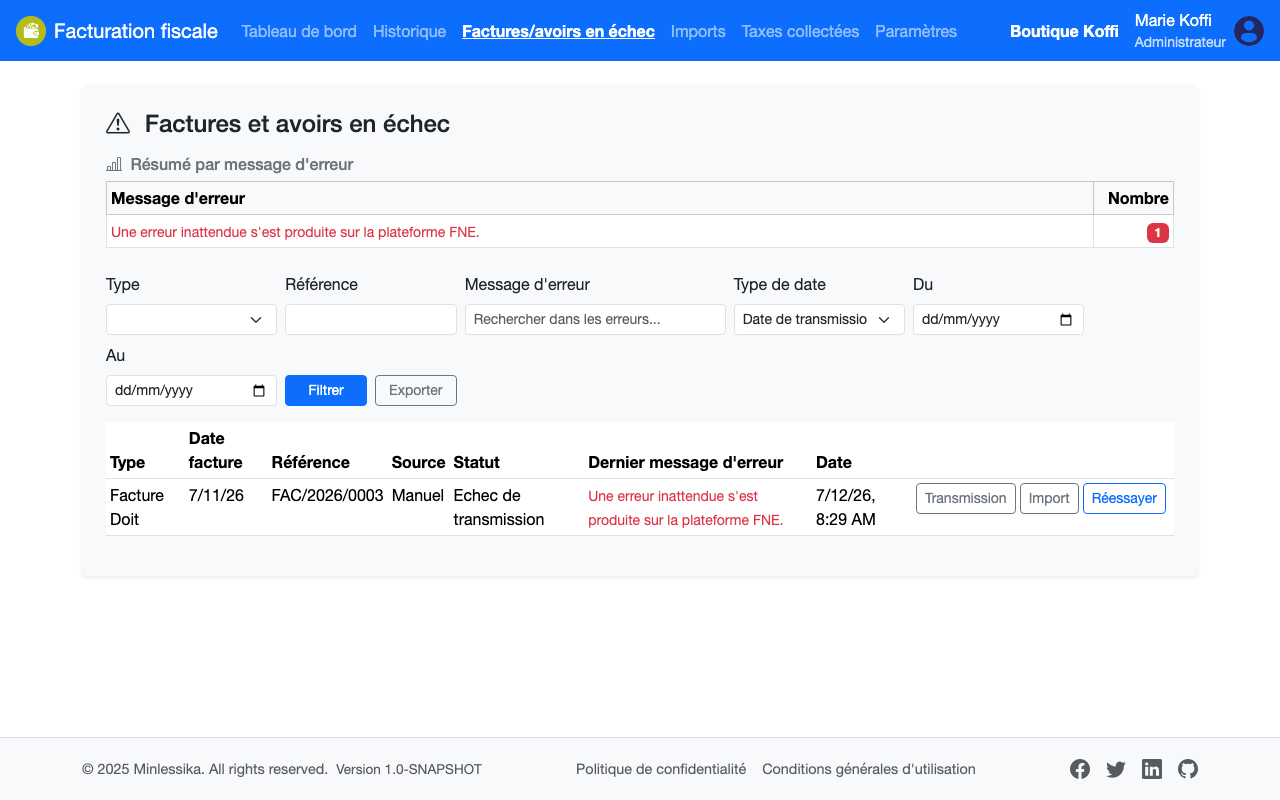
Open Factures et avoirs en échec (Failed invoices and credit notes). The Résumé par message d'erreur (Summary by error message) groups the failures by cause; the table below shows, for each document, the last message returned.
2. Replay the submission
Click Réessayer (Retry) on the document's row: the module sends the same request to the FNE again. Once the platform is back up, the document is certified normally and leaves the failure list.
Failure or rejection?
Réessayer (Retry) applies to technical failures (unreachable platform, network outage). A document rejected by the FNE — refused data — is fixed in the imported file, then sent again with Retransmettre (Resubmit).
What next?
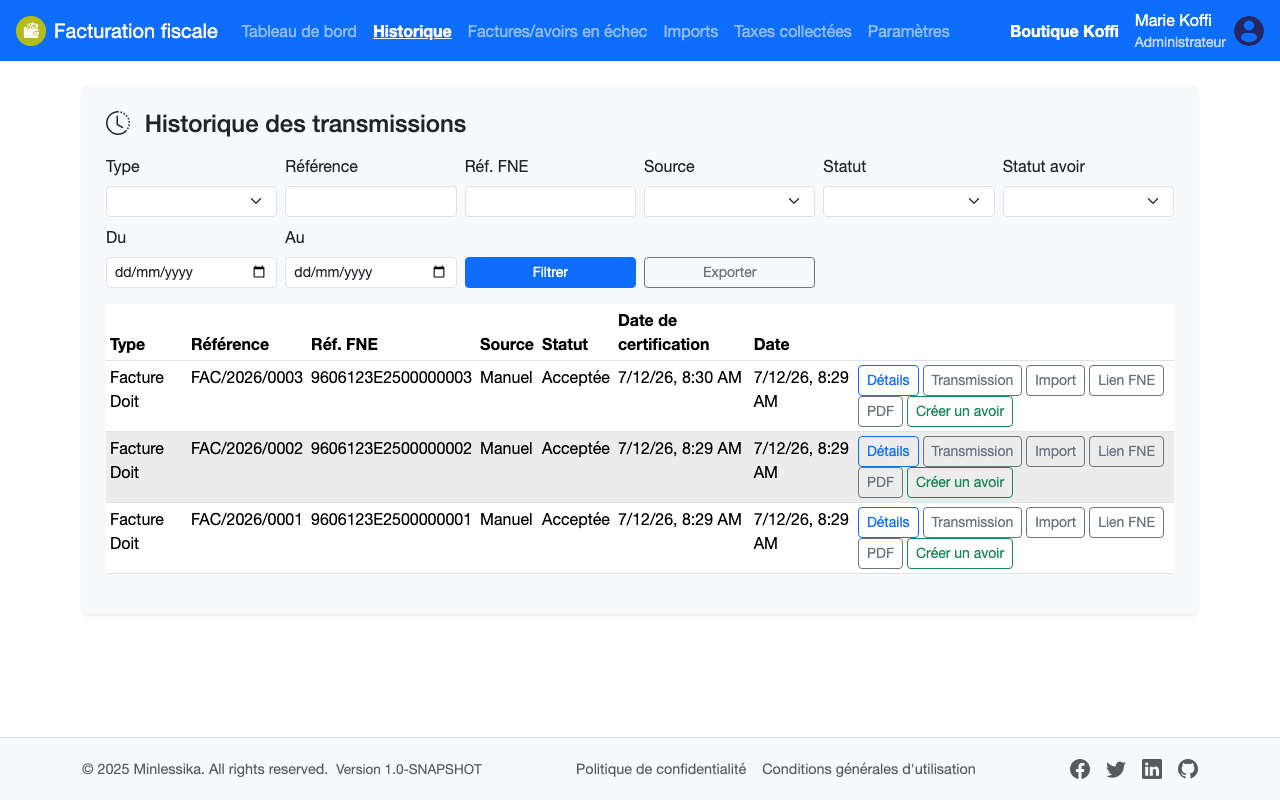
Check in Historique des transmissions (Submission history) that the replayed document carries its FNE reference.
Changelog
- 2.0 (August 1, 2026): screen and section names updated.
- 1.0 (July 12, 2026): document created.