Convert a quotation into a purchase order
An accepted quotation is not a sale yet: it becomes one when you convert it into a purchase order. The conversion copies the agreement into the document that is confirmed, invoiced and cashed.
Prerequisites
- A quotation with the accepted status (see Create a quotation)
- No purchase order already drawn from that quotation
- The
SALES.PROFORMA_INVOICE.WRITEright on the quotation andSALES.PURCHASE_ORDER.READto read the order obtained
Steps
1. Check that the quotation is convertible
Open the quotation. The Convert into a purchase order button only shows on an accepted quotation no order came out of yet. A quotation in draft, sent, rejected or cancelled does not show it, and neither does one already converted: its header then carries the reference of the order in the Purchase order field.
2. Convert
Press Convert into a purchase order. The module asks: Do you want to convert this proforma invoice into a purchase order? Answer Yes.
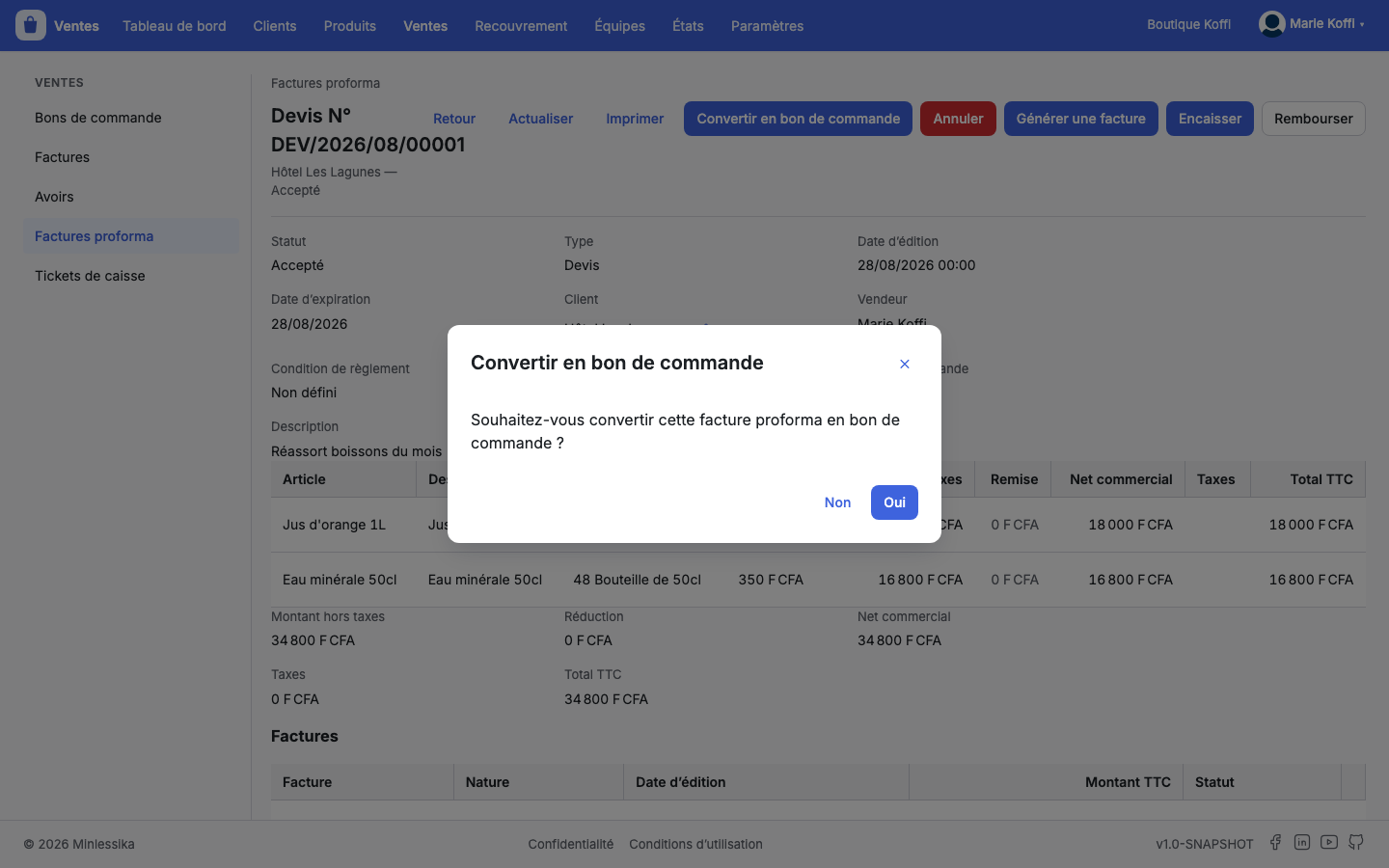
The module writes the order, announces The proforma invoice has been converted into a purchase order and drops you on the record of that order.
3. Read what the conversion wrote
The order is born as a draft with the customer, the seller and the lines of the quotation. Its header keeps the trace of its origin in Source quotation, and the quotation, on its side, now names its order.
What the quotation did not carry is left to complete: Payment condition, Delivery delay (days), Customer order reference, Billing address, Delivery address, Beneficiary. The Edit button opens the header as long as the order is a draft.
The lines of a converted order are not reworked
An order born of a quotation shows neither Add a line, nor Edit, nor Remove on its items, even as a draft: its lines are those of the quotation, and they stand. If the pricing has to change, draw a new quotation and convert that one.
4. Confirm the sale
On the order, Confirm the sale commits it — the module asks for confirmation. That action is the one that opens invoicing. Reopen goes back as long as the order is merely confirmed.
Invoicing picks its starting point
Once converted, the quotation no longer offers Generate an invoice: the order now carries invoicing. As long as the conversion has not happened, the accepted quotation can be invoiced directly.
What next?
Changelog
- 1.0 (August 27, 2026): document created.