Configure the operation types
No operation is created without an operation type: it is the type that decides the nature of the movement, the locations offered by default and the numbering of the documents. This guide shows how to declare those types on a warehouse, and what the module refuses to do with them.
Three types created out of the box
Installing the module creates the main warehouse together with its main location and its three operation types, under their French names (Réceptions, Transferts internes, Livraisons). This guide is for adjusting them — including renaming them to Receipts, Internal transfers and Deliveries when you work in English, since the dashboard shortcuts look them up by their localized name — or declaring new ones.
Prerequisites
- The Inventory module activated for your organization
- The
STOCKS.OPERATION_TYPE.READpermission to read,STOCKS.OPERATION_TYPE.WRITEto write - A warehouse picked in the selector of the top bar, and at least one internal location in it
Steps
1. Open the screen
Open Settings › Operation types. The table shows only the types of the current warehouse — the subtitle says so — and gives for each one the Name, the Category, the Default source and the Default destination. A search field narrows them down on their name.
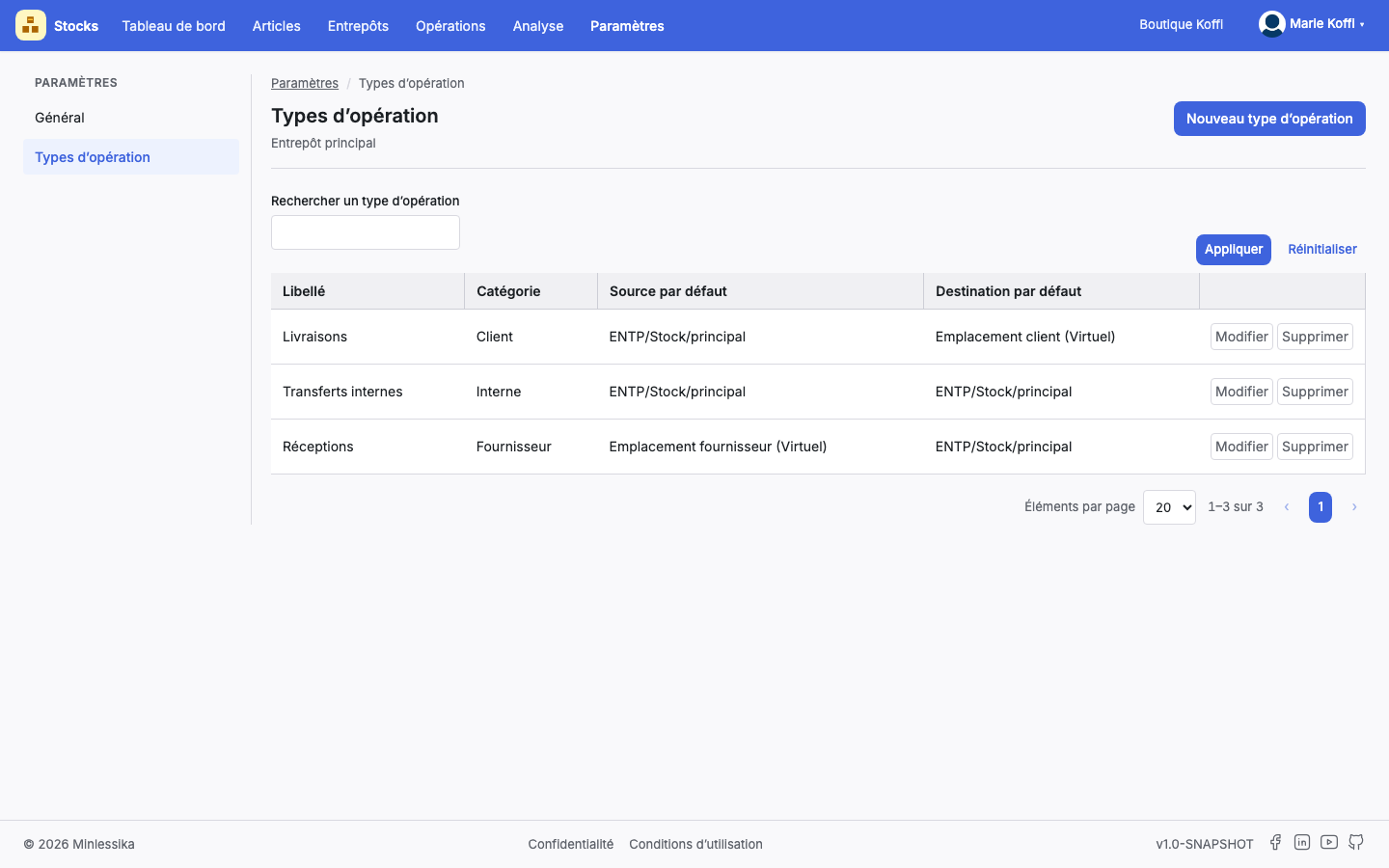
One set of types per warehouse
Types belong to a warehouse, not to the organization. Change warehouse in the top bar and the list changes with you; a new warehouse starts with no type at all.
2. Create a type
The New operation type button opens Create an operation type:
- Warehouse — displayed, not editable;
- Name — mandatory;
- Category — mandatory;
- Sequence — mandatory;
- Default source location — mandatory;
- Default destination location — mandatory;
- Picking type — optional, None by default;
- Return type — optional, None by default.
The location lists offer the internal locations of the warehouse and the virtual locations of the organization.
3. Choose the category
The category is the structuring decision: it says in which direction the stock moves, and it is what constrains the locations of the operations created afterwards.
| Category | What it describes | Source location | Destination location |
|---|---|---|---|
| Fournisseur (supplier) | An entry of goods | virtual | internal |
| Interne (internal) | A transfer between your locations | internal | internal |
| Client (customer) | An exit of goods | internal | virtual |
An entry opens valued batches, a transfer moves existing stock, an exit consumes it. The locations you set as defaults here must therefore respect the direction of the category, otherwise the module will protest when each operation is created: "You must pick a virtual location as the source location", "You must pick an internal location as the destination location", and their symmetrical counterparts.
4. Attach a sequence
The Sequence is the numbering that will give its reference to every operation of this type, when it is created. Two types may share a sequence; an operation, on the other hand, cannot share its reference — the module refuses a duplicate: "This reference is already taken".
5. Declare a picking type and a return type
The Picking type designates the type that prepares the operation, the Return type the one that cancels it: it is the latter that the module uses to write the reverse of an operation already executed. Without it, a cancellation is refused.
Neither one can be the type itself
The module answers "Invalid return type: it cannot equal the current type", and likewise "Invalid picking type: it cannot equal the current type". An exit type has an entry type as its return, and the other way around.
6. Name the types the dashboard looks for
The three shortcuts of the dashboard — Record an entry, Record an internal transfer, Record an exit — look in the current warehouse for a type named respectively Receipts, Internal transfers and Deliveries. Failing that, the shortcut stops on No "Receipts" operation type in this warehouse.
7. Delete a type
The Delete action asks for confirmation while announcing the effect: Do you want to delete the operation type … ? The operations that rely on it can no longer be created.
Two possible refusals
- The type has already served: "Operations have already been recorded with this operation type"
- The type is the last of its category in the warehouse: "You cannot delete the last Fournisseur operation type". A warehouse keeps at least one type per category in use.
What next?
Changelog
- 1.2 (August 19, 2026): note on the three types created at installation.
- 1.1 (August 19, 2026): screenshots added.
- 1.0 (August 18, 2026): document created.