Create a credit note on a certified invoice
A customer returns part of an order, or a certified invoice must be corrected: create a credit note, which will be certified in turn with a reference to the initial invoice.
The interface is in French
The Minlessika interface and the screenshots below are in French. Each tab or button name is shown here as it appears on screen, with its English translation in parentheses.
Prerequisites
- An invoice submitted to and accepted by the FNE, coming from an Excel or CSV import
- The
CREDIT_NOTE.CREATEpermission
Steps
1. Open the invoice
In Historique des transmissions (Submission history) — or the import detail — locate the accepted invoice, then click Créer un avoir (Create a credit note).
2. Enter the quantities to cancel
The page repeats the invoice lines with the available quantities. Enter, line by line, the quantité à annuler (quantity to cancel) — partial or total. The credit note reference is generated automatically if you leave it empty.
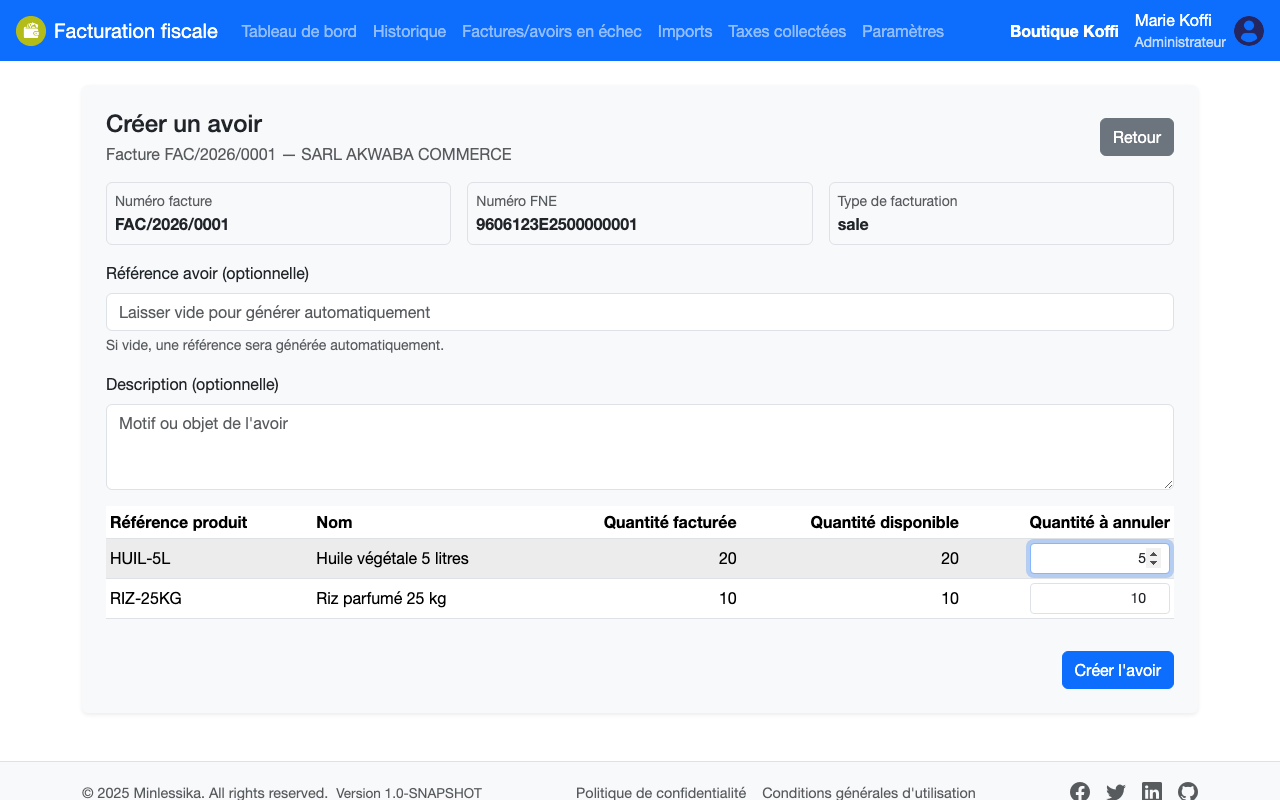
3. Create then submit the credit note
Click Créer l'avoir (Create the credit note): it joins the Avoirs (Credit notes) section of the import. Submit it like an invoice: once accepted, it gets its own FNE reference and the initial invoice carries the Avoir partiel (Partial credit note) or Avoir total (Total credit note) badge.
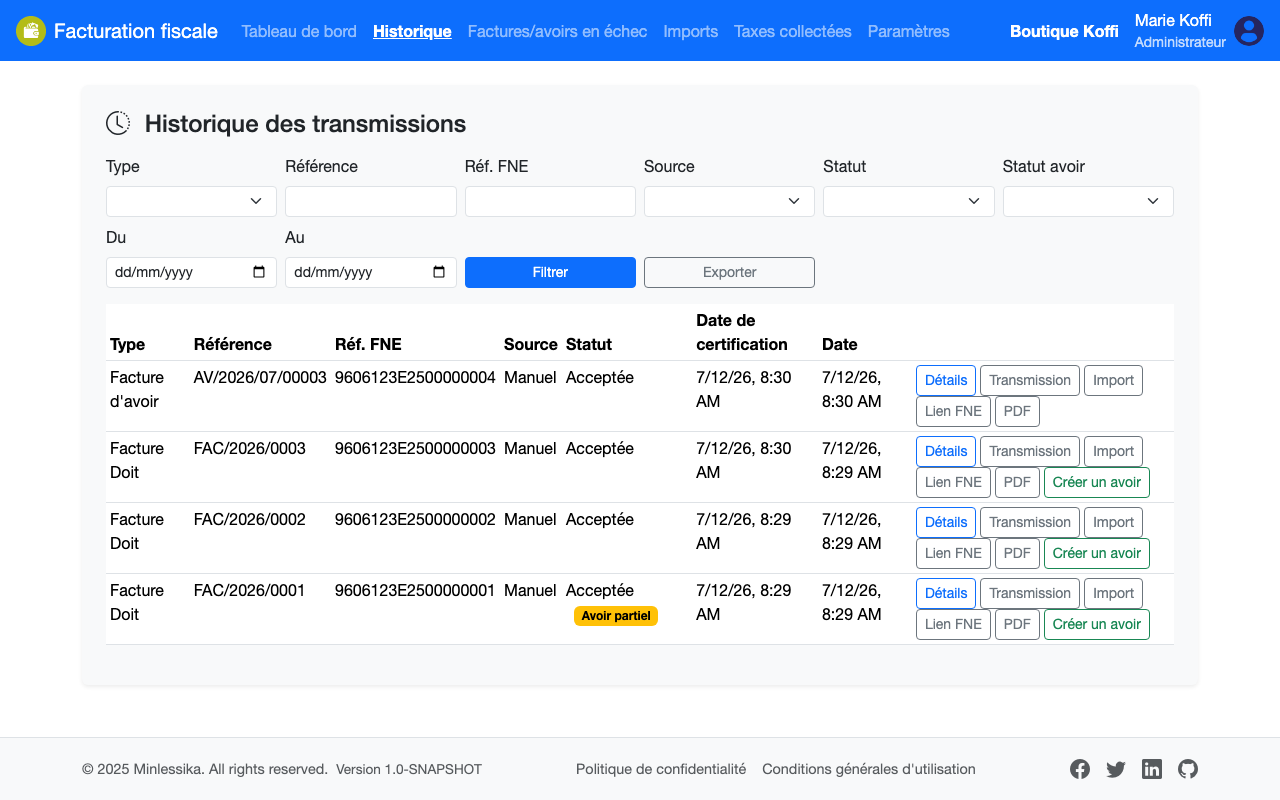
Available quantities
Quantities already canceled by previous credit notes are no longer available: the FNE refuses to cancel more than what the invoice certified.
The credit note has its own presentation
The credit note is rendered by the credit note flow of the model, with its own template and its own fields, not by the invoice one. See Create a model.
What next?
The credit note amounts are deducted from the collected taxes.
Changelog
- 2.0 (August 1, 2026): screen names updated and a note on the credit note flow of the model.
- 1.0 (July 12, 2026): document created.