Submit an import to the FNE
Your invoices are imported: submit them to the DGI's FNE platform for certification.
The interface is in French
The Minlessika interface and the screenshots below are in French. Each tab or button name is shown here as it appears on screen, with its English translation in parentheses.
Prerequisites
- An import with the Prêt (Ready) status, without fatal errors
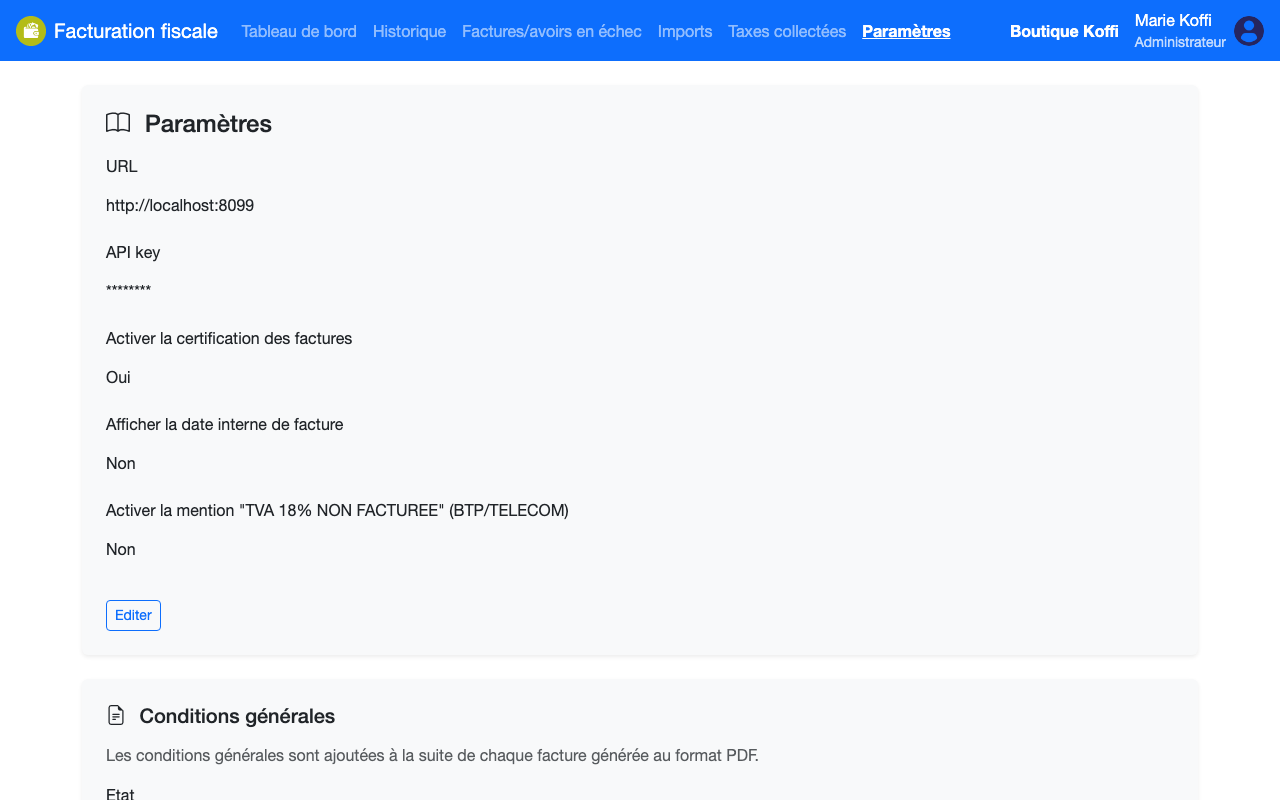
- The FNE interface configured under Paramètres › Général (Settings › General): platform URL, API key, and certification enabled
- The
IMPORT.TRANSMITpermission
Steps
1. Start the submission
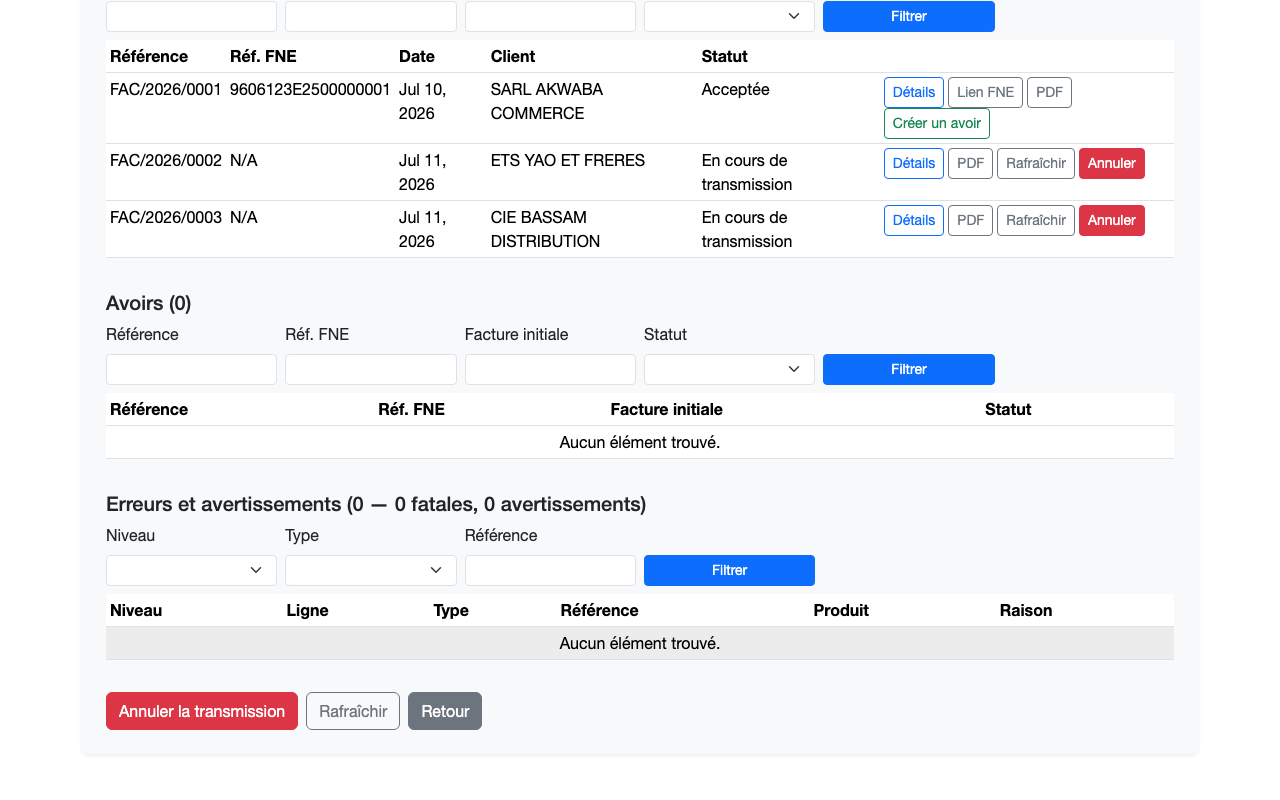
From the import detail, click Transmettre (Submit) — at the bottom of the page to send the whole import, or on an invoice row to send only that one. Each document moves to the En cours de transmission (Being submitted) status.
2. Track the results
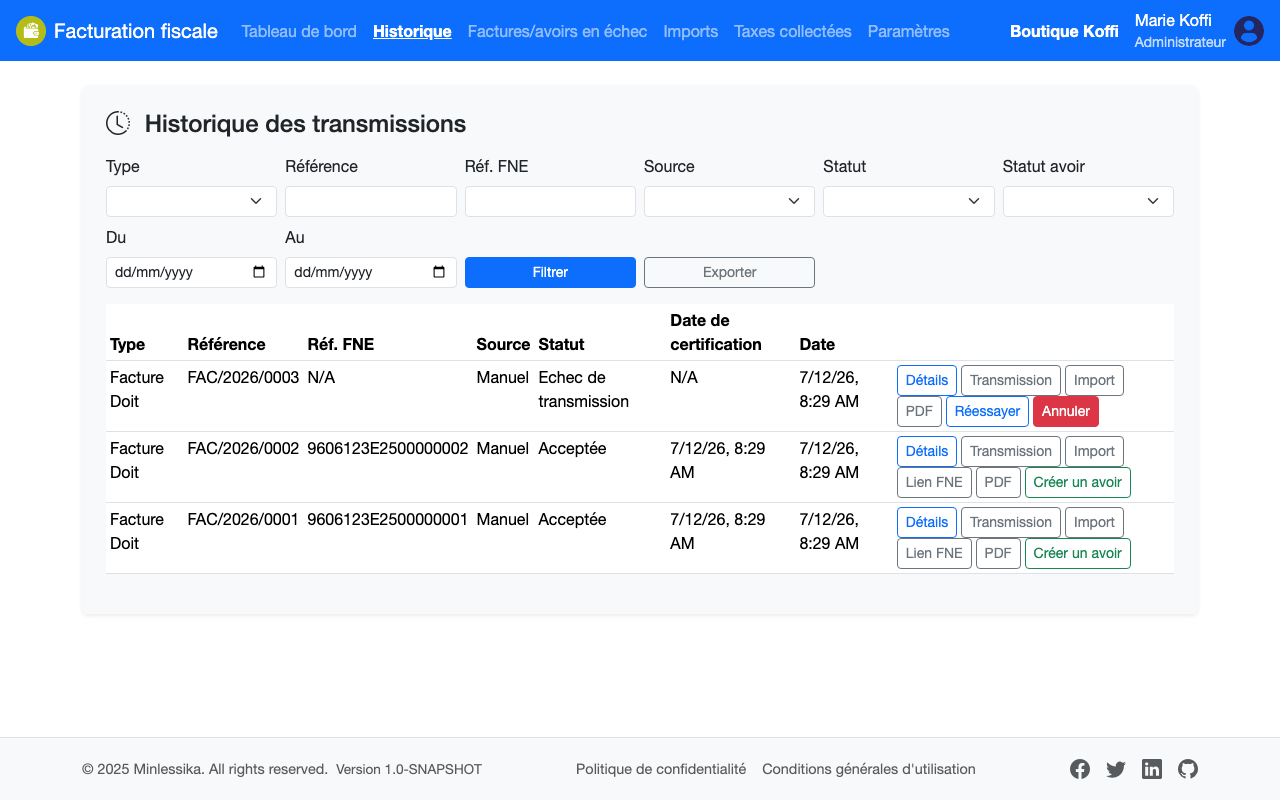
The module sends the documents in the background and records the FNE's response. Open Historique des transmissions (Submission history): each accepted invoice gets its FNE reference and certification date, with its proof (PDF) and its verification link (Lien FNE — FNE link).
What if an invoice fails?
An invoice rejected by the FNE or hit by an outage appears under Factures et avoirs en échec (Failed invoices and credit notes) — see Replay a failed submission.
The PDF is frozen
The version of the template that produced the invoice is pinned on it at certification. Reprinting the invoice months later returns exactly the document the FNE certified, even if the template changed in the meantime.
What next?
Changelog
- 2.0 (August 1, 2026): screen names updated and a note on the template freeze.
- 1.0 (July 12, 2026): document created.