Sales
The Sales module holds your commercial cycle, from the first quote to the last unit of currency cashed in. A quotation — the proforma invoice — prices what the customer asks for; once accepted, it becomes a purchase order; the order sold gives one or several invoices; the invoice calls for settlements, which the deadlines watch over until the balance is nil. A credit note repairs what needs repairing, and the cash receipts coming from the Cash register module join the same story.
Who is it for?
Any organization selling to named customers and tracking what they owe: trade, distribution, services, workshop, a business running both a counter and customer accounts.
Prerequisites
- The Products module installed: it holds the catalog, and the Sales module only sells what is declared there
- The Sales module installed for your organization (see Activate modules)
- A profile opening at least one screen of the module: Administrator to sell, Auditor to read without writing
The module asks for no setup before the first sale: your taxes, your payment modes and your measure units reach it already kept. What belongs to you — your sales teams, your customers, your selling prices — is written as you go.
What the module does
- Keep your customers: person or company contacts, reference, discounts, special prices, exempted taxes, summary of their purchases
- Price your catalog: fixed price or price by intervals, taxes, discounts, special prices per customer and prices per point of sale
- Issue your documents: quotations, purchase orders, invoices — final, down payment, advance, situation, balance — credit notes and cash receipts
- Cash in: settlements and refunds allocated to a document, with their mode and their transaction reference
- Track: deadlines per customer, sales statistics, settlements of the period and customer ledger
The screens
The module menu gathers its screens in eight sections:
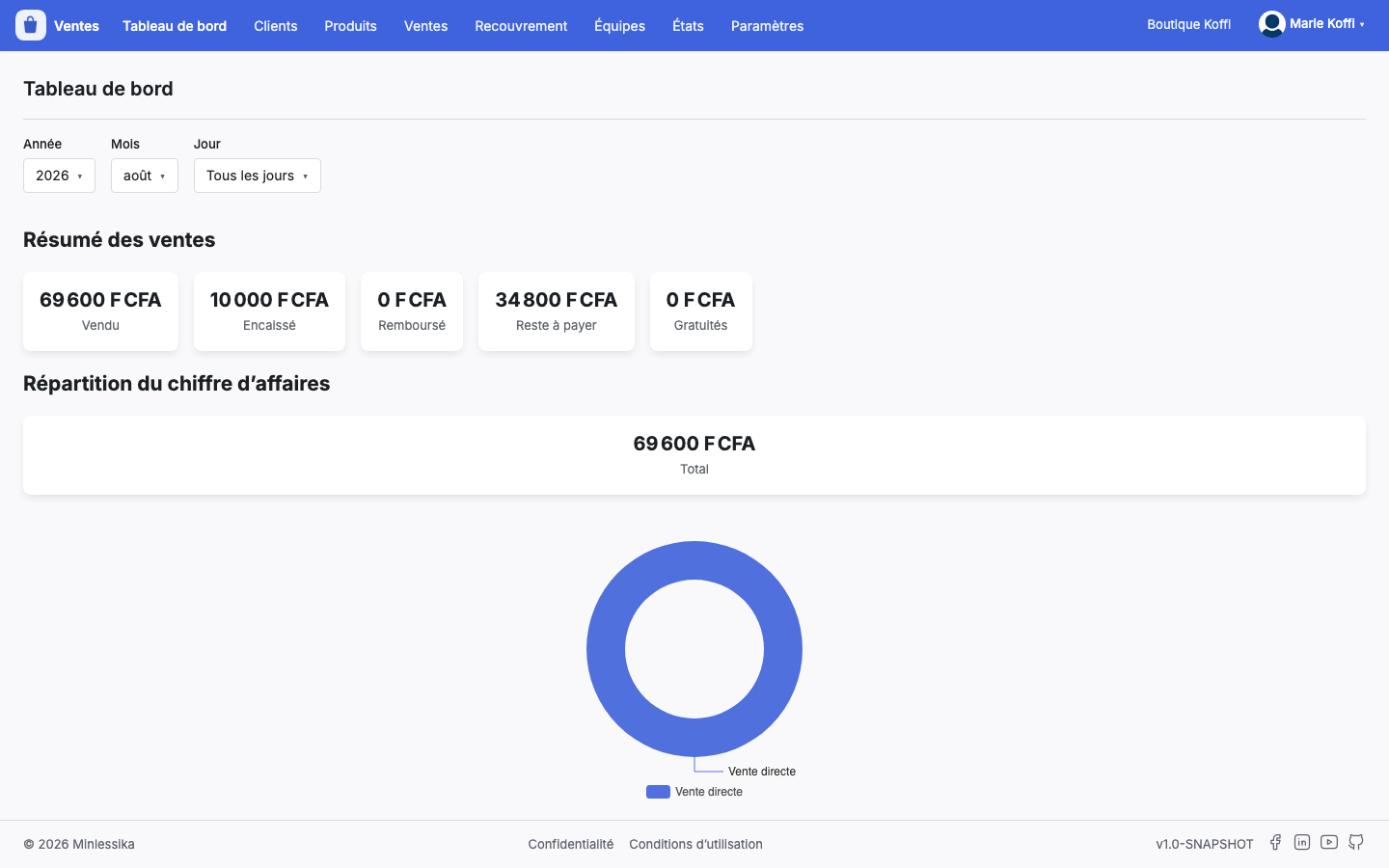
- Dashboard — the sales resume and the split of the turnover
- Customers — the list of the customers and the record of each one
- Products — Products and Categories, read-only, their selling prices excepted
- Sales — Purchase orders, Invoices, Credit notes, Proforma invoices, Cash receipts
- Collection — Payments and Deadlines
- Teams — the sales teams and their sellers
- Reporting — Sales statistics, Upcoming deadlines, Settlements of the period, Customer ledger
- Settings — Company, Taxes, Payment modes, Measure units, Interfacing
You only see there what your profile opens for you: a section none of whose screens you may reach does not show up.
The catalog is read here, it is kept in Products
The name of a product, its internal reference, its packaging and its category belong to the Products module: fix them there, the fix flows down on its own. What the Sales module writes on a product is its price: pricing, taxes, discounts, special prices and prices per point of sale. The Taxes, Payment modes and Measure units of the settings are read the same way, without being changed there.
The dashboard
The home screen of the module tells a period — a year, a month or a day — in two moves: the Sales resume lines up the Sold, the Cashed, the Refunded, the Left to pay and the Freebies; the Split of the turnover shows where that total comes from.
Where to start?
Follow the Getting started tutorial: you will create a team, a customer and a quotation, then walk that quotation up to the settled invoice.
Contents
Changelog
- 1.0 (August 27, 2026): document created.